Outdoors and nature LinkedIn banner
Templates with CC0 nature photos, kept clear of where your profile photo sits. Your words are already in place; edit them and download a 1584×396 PNG.
Independent tool, not affiliated with LinkedIn
Templates
Layers
Select a layer to edit it
Background

Your Name
Your headline appears here
What to write on an outdoors banner
Three lines that work, ready to copy into the editor.
- Field data, turned into planning decisionsEnvironmental Scientist · Water and land use
- Calm systems for busy teamsSite Reliability Engineer · Cloud infrastructure
- Coaching leaders through changeExecutive Coach · Founders and first-time managers
Using an outdoors banner well
After plain text and plain colour, scenery is what real people put behind their profile most often: sky, sea, mountains, often a photo they took themselves. It works because it is calm and personal without saying anything you have to defend. These templates use public-domain (CC0) photos of sky, layered ridges, mountains and still water, cropped to LinkedIn's 4:1 shape, with a light shade where white text sits on bright clouds. Pick a photo with an even area on the right for your words, and keep the left side free of anything important, because your profile photo covers it. If you'd rather use your own shot of a coast, a trail or the view from your office, upload it in the editor: the same layout and shade apply.
Photos in these templates
Public domain or CC0, checked by hand for faces, logos and readable text.
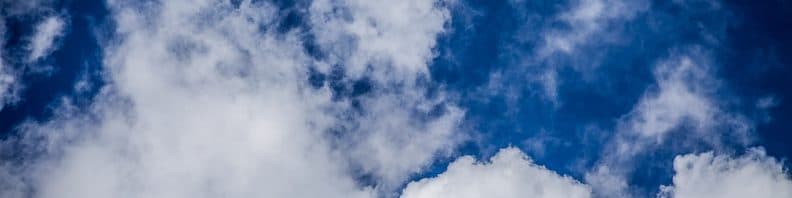
White clouds against a deep blue sky · Aaron Guzman, CC0 1.0 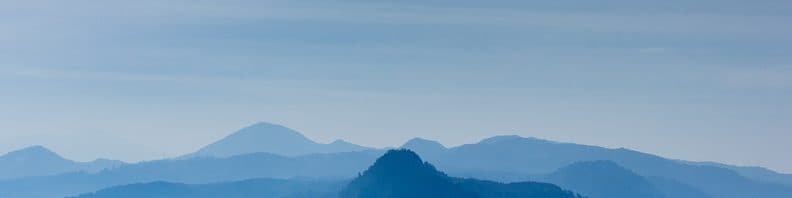
Layered blue mountain ridges under a hazy sky · bady qb, CC0 1.0 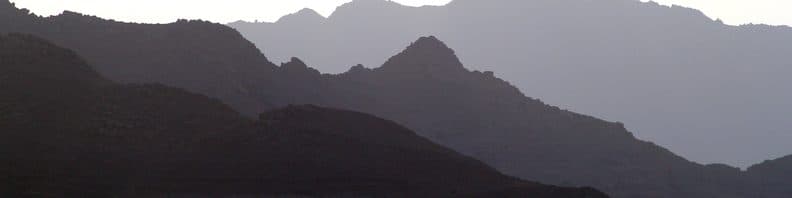
Grey mountain ridges in layers of haze · Janko Seboek, CC0 1.0 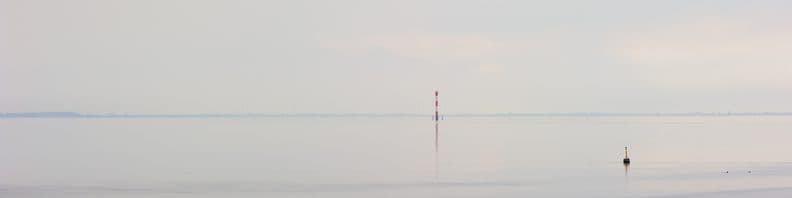
Pale, still sea with a distant marker post · Eric Wüstenhagen, CC0 1.0


Questions
Is a nature photo professional enough for LinkedIn?
Yes, for most fields. Calm scenery is one of the most common choices on real profiles, and it never clashes with your headline. Choose an image without people, logos or readable signs, and add one line of text if you want the banner to say something about your work.
Can I use my own photo of the ocean or a hike?
Yes, and many people do. Use a photo you took or one with a free licence. Crop it wide: LinkedIn shows banners at 4:1, so a tall phone photo loses most of its height. Keep the horizon away from where your text goes, and check the phone preview.
Where do these photos come from?
Wikimedia Commons, each released under CC0, which means no attribution is required and you can use them freely. We list the photographer and source for every photo on this page anyway, and checked each one for people, logos and readable text.