Electrical Engineer LinkedIn banner
Templates for electrical engineers, with your words already in place. Edit anything, check where your photo sits, and download a 1584×396 PNG.
Independent tool, not affiliated with LinkedIn
Templates
Layers
Select a layer to edit it
Background

Your Name
Your headline appears here
What to write on an electrical engineer banner
Three lines that work, ready to copy into the editor.
- Substations that pass review the first timeElectrical Engineer, PE · Protection and controls
- Power that stays on when the grid doesn'tElectrical Engineer · Critical facilities and backup power
- Controls for lines that never stopElectrical Engineer · PLC programming and panel design
Banner advice for electrical engineers
Electrical engineers often grab a photo of transmission towers or a tangle of wiring for their banner. Towers are fine if you work in power, but they mean little for a controls engineer or someone designing circuit boards. Pick an image that matches your corner of the field: a substation or grid lines for power, a control panel or production line for industrial controls, a circuit board macro for electronics, a building's switchgear room for building systems. Then add one line in plain words about what you design and for whom, and your PE or EIT status if you have it. Keep site photos generic, without equipment tags or identifiable facilities, since many utilities restrict photography on their property.
- Writing only “Electrical Engineer” when the field splits into power, controls, electronics and building systems, which recruiters search for separately.
- Leaving off PE license or EIT status, which many utility and consulting employers filter on before reading anything else.
- Using a banner photo of equipment from a client site without permission, which may break site security rules.
Photos in these templates
Public domain or CC0, checked by hand for faces, logos and readable text.

macro shot of a CPU's pin-grid-array held with tweezers, abstract gradient background · Brian Kostiuk, CC0 1.0 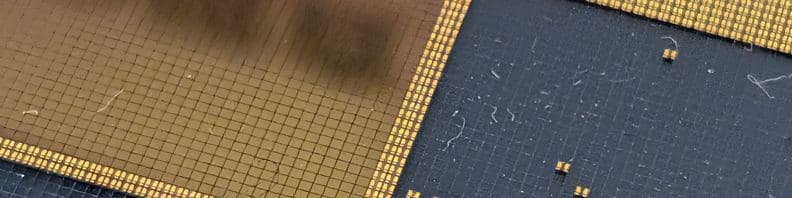
macro photo of a silicon wafer die grid, abstract gold/dark squares pattern · Syced, CC0 1.0


Questions
What should an electrical engineer put on the LinkedIn banner?
One line about your specialty and who it serves, like “Substation protection for utilities and solar developers,” plus a sub-line with your license status and main software. For the background, match the image to your work: grid infrastructure for power, a control cabinet for automation, a board close-up for electronics. Set the text in the right half, where the profile photo will not reach it, and leave out any client site details.
Can I use photos from job sites on my banner?
Ask first. Utilities, plants and data centers often restrict photography, and equipment labels, nameplates or layouts can reveal security-sensitive information. A photo you took at a public site, a CC0 image of generic equipment, or a simple line drawing of a one-line diagram are safer. If you have permission to use a project photo, crop out signage, tags and anything that identifies the facility.
Should I show a circuit diagram or schematic on the banner?
A stylized one can work as texture, especially for electronics or power engineers, but it should not be a real drawing from a project. Real schematics can be proprietary, and at banner size the symbols blur anyway. Draw a simplified version with a few clean symbols, keep it low contrast behind your text, and make sure it reads as decoration rather than a document.